TL;DR: The Behringer X-Touch Compact works well as a motorized fader bank for QLC+ (v5). If its layer A faders only send 0 or 127 (the virtual fader jumps between 0% and 100%), read layer A's config with X-Touch Editor and write it straight back to the device unchanged - that fixed it for me.
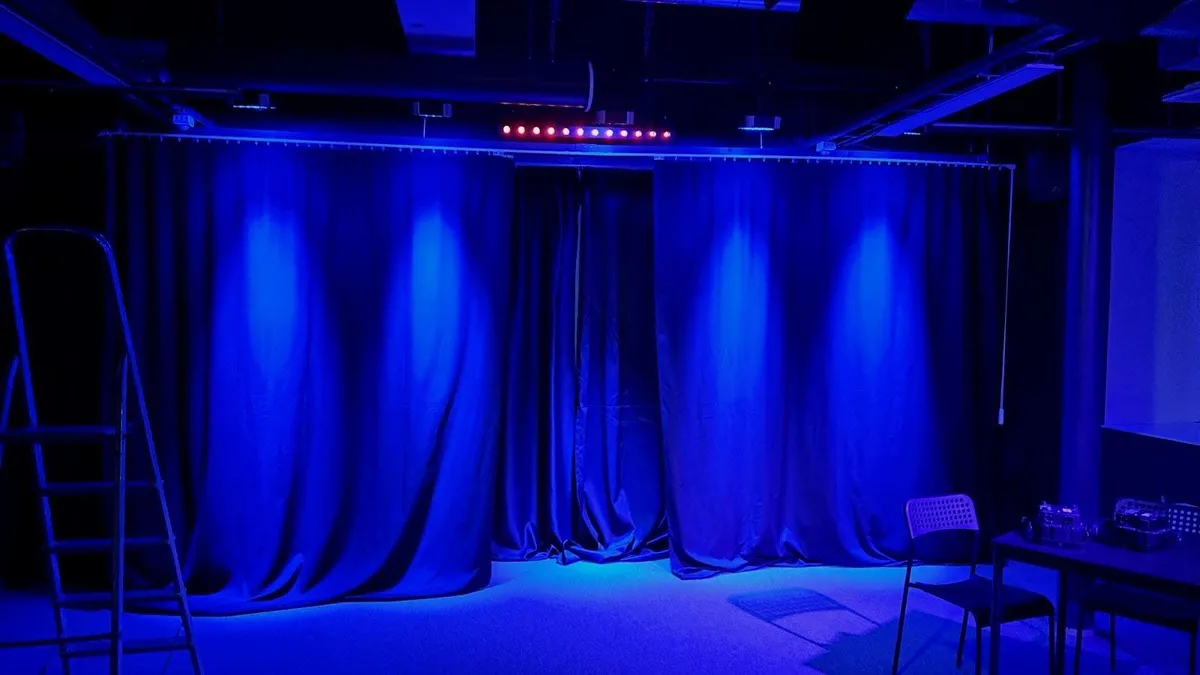
I run the lights for Ruutu10, an improv theatre in Estonia. We have a small venue with digitally controlled DMX lights.
For years, I've used QLC+ to control our DMX lights. QLC+ is a fantastic piece of open-source software that fits our use case well. Specifically, I use its Virtual Console setup - buttons and faders on a computer screen. Clicking and dragging with the mouse changes the lights.
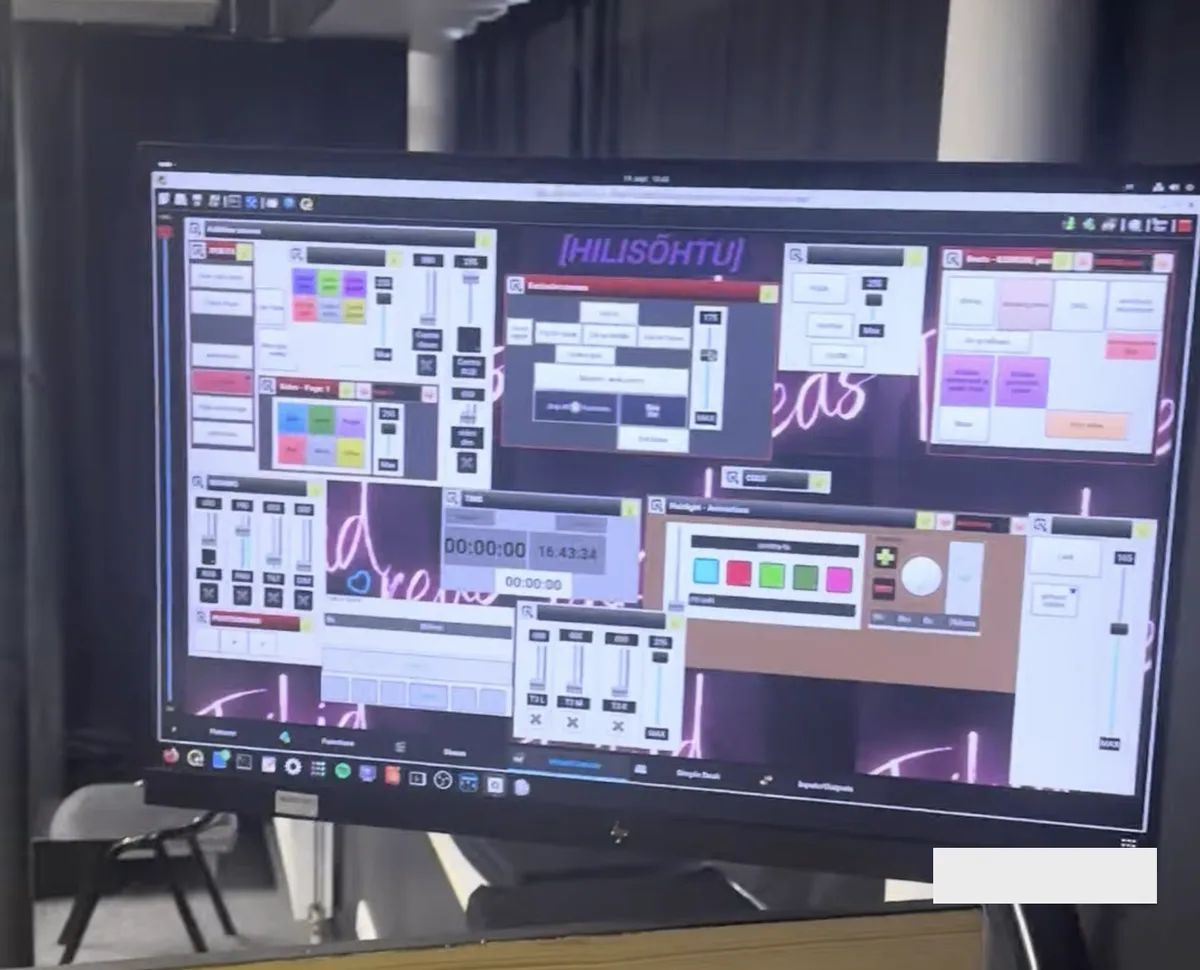
The problem with virtual consoles
This setup works well, but has two significant downsides:
- light movements are only as smooth as my mouse hand, which is to say they're not - slider level changes are always abrupt and noticeable to the audience
- mouse and screen are locked to QLC+ while I use the faders - no multitasking with the other hand
I can script "fade times" in QLC+ if I have presets - for example, I can fade the house lights ON with a 2s timed fade. But this doesn't work if I want to go "-10% intensity", or if I want to time the fade-out manually, pausing in-between - often a necessity, depending on which way an improv scene goes.
The solution? An external physical controller with faders.
Why the faders need motors
Improvisational theatre is very unpredictable and fast-changing. I need a way to adjust slider levels with a physical slider, and this slider needs to be motorized - it needs to "update its position" on demand.
A "dumb" fader, such as those found on many budget MIDI controllers (the KORG nanoKONTROL2 is a popular example), will set the level of a fader in QLC+ just fine.
The problem appears if the operator decides to also adjust the level of the fader in the QLC+ Virtual Console, bypassing the physical fader. Now the two levels are out of sync. The next time the operator touches the physical fader, its position overwrites the level in software, and this causes a "jump" that is very noticeable to an audience member.
A motorized fader with feedback configured fixes this - the operator can freely change the fader position via hardware or software, and the other side automatically syncs.
Choosing a controller
Behringer X-Touch Compact is a good choice for a budget-conscious physical fader bank. It has motorized faders and plenty of buttons, is cost-effective, and can be reconfigured in software. It retails for ~230 EUR at Thomann.de (2026). I've researched alternatives (Icon P1-M, Behringer X-Touch One), but everything else either:
- is out of my budget range ($$$)
- doesn't have motorized faders
- has only one motorized fader
The Behringer X-Touch Extender would work too, but it's more expensive and includes tiny LCD screens - which QLC+ can't use natively over MIDI.
Setup and troubleshooting
Brand new, out of the box, the X-Touch Compact arrives preconfigured - but incorrectly for our use case:
- it has two modes (MIDI and MC) - it needs to be set into MIDI mode
- it has two "layers" or "banks" (A and B). The A layer only sends ON/OFF MIDI CC values when the fader is moved, which jumps the software fader between 0% and 100% - doesn't work for smooth control
Set the mode
There's a small indicator LED on the chassis (labelled MC) showing the current mode. It needs to be off (in MIDI mode).
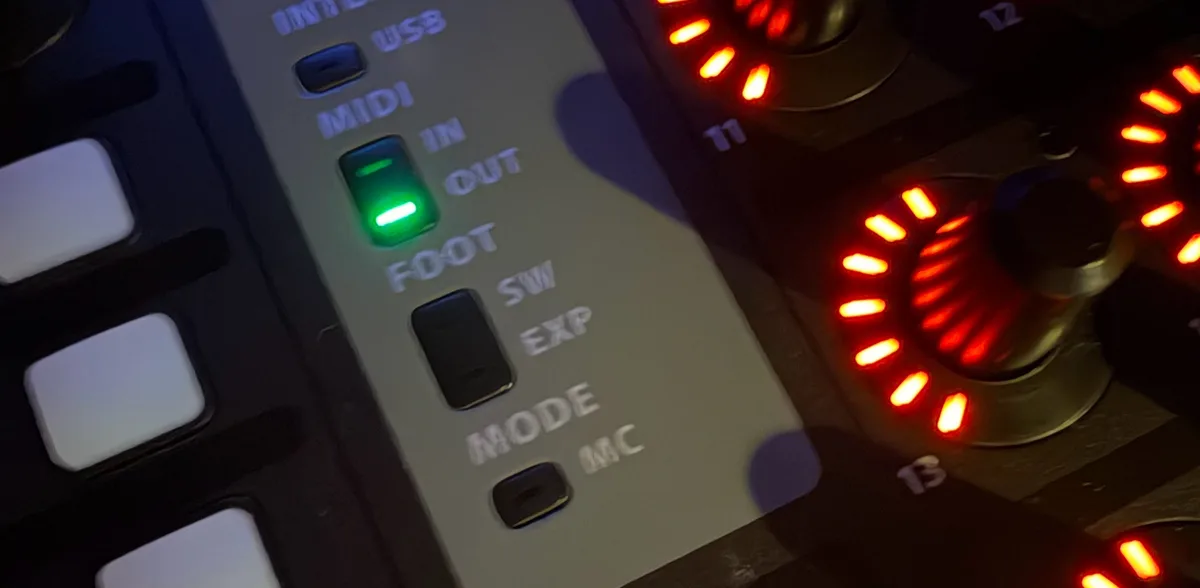
If it's not:
- Power off the device
- Press and hold the MC button (bottom left corner)
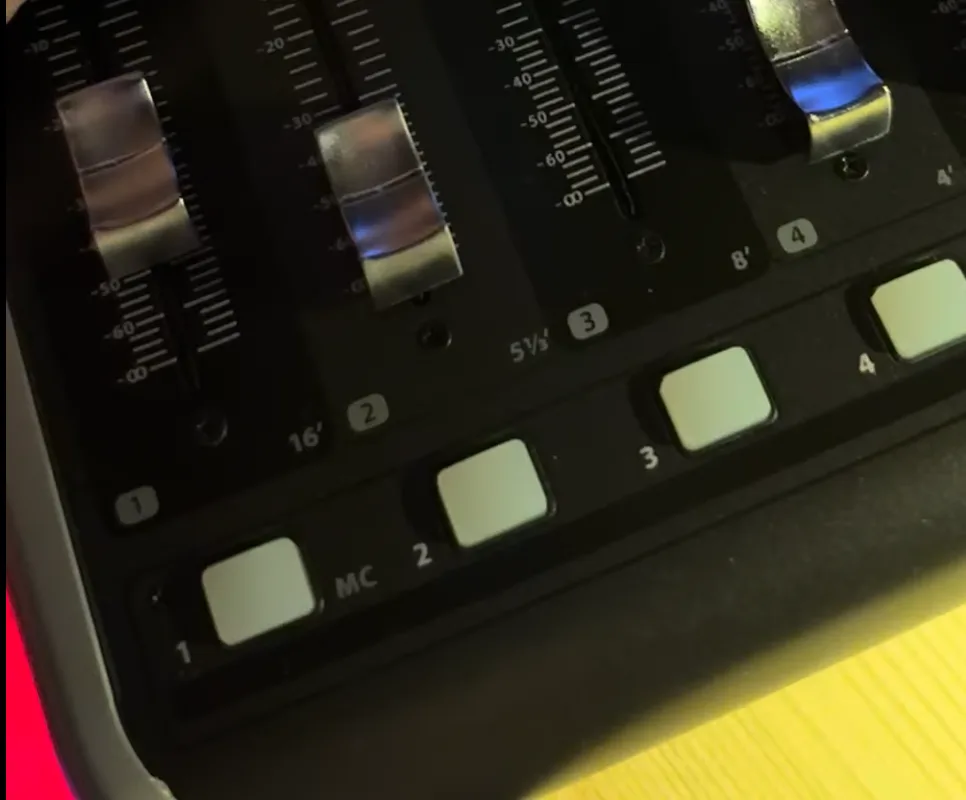
- While holding the button, power on the device
- Let go once the device finishes power-up and MC has switched off
Connect to QLC+
Connecting to QLC+ is straightforward, but only on QLC+ version 5+. Version 4 can use it for input, but lacks the native feedback profile for the X-Touch Compact, so you'd need to build it yourself. In QLC+ (v5):
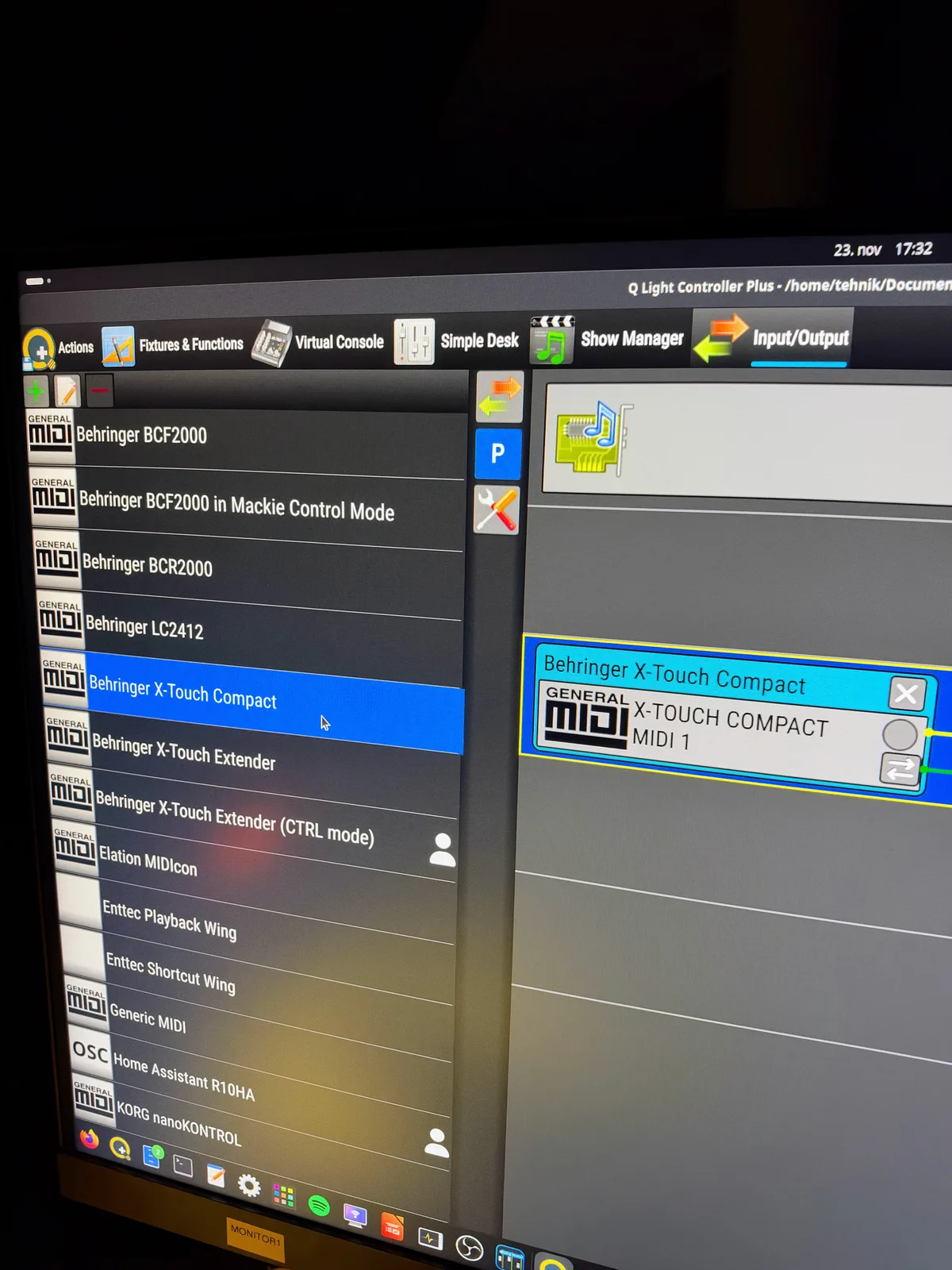
- Add a new MIDI input into an empty universe - select the X-Touch Compact device. MIDI channel settings stay default.
- Also add a Feedback profile to the same input channel by dragging and dropping it. QLC+ (v5) has a native profile for the X-Touch Compact built in
Fix the layers
The X-Touch Compact has two virtual "layers" - A and B - which effectively double the fader count.
Spot the problem
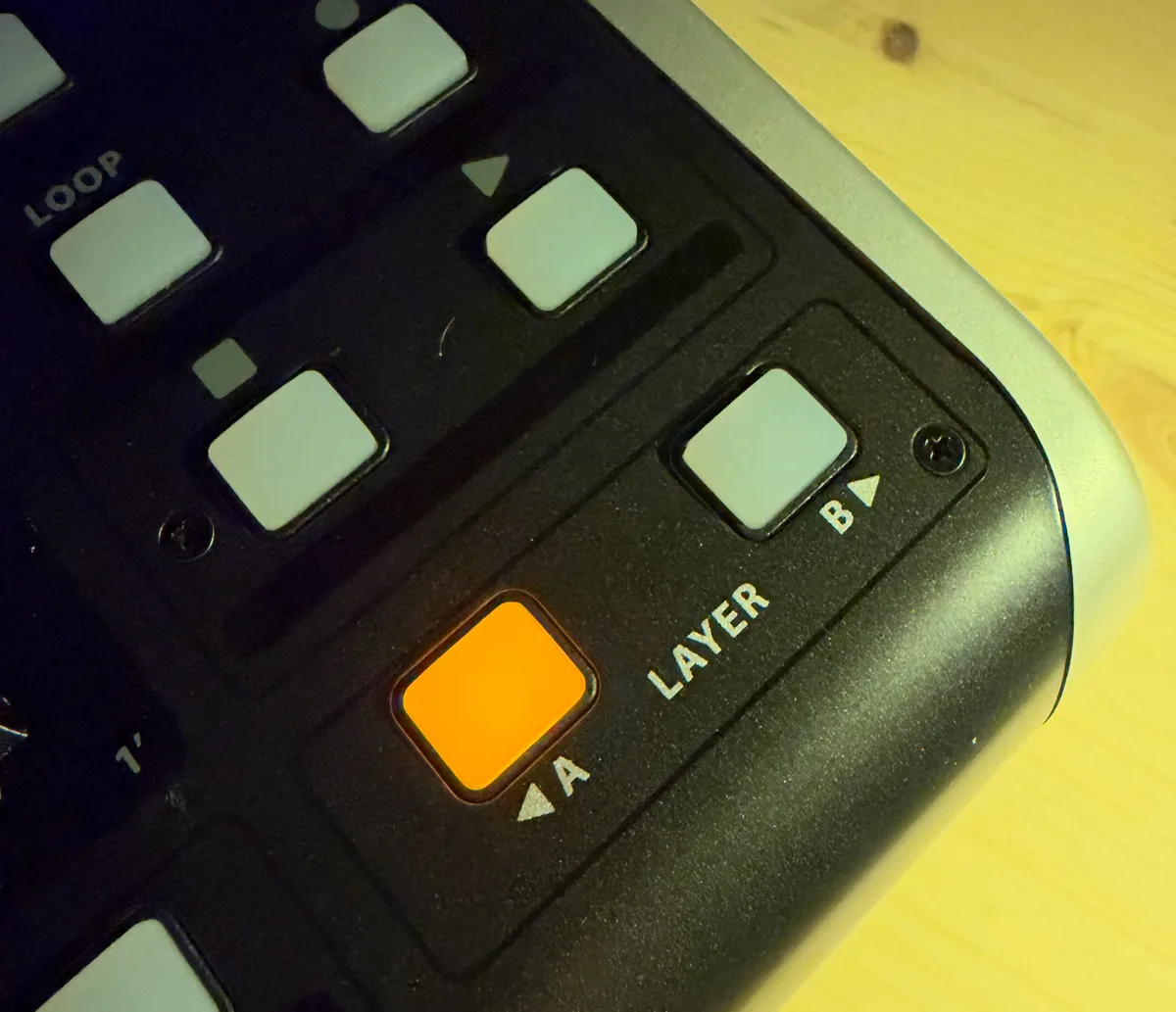
Press the "Layer A" button on the controller.
Add a fader to the Virtual Console in QLC+. Add a new external input mapping to it, and select one of the motorized faders. Now, move the fader up and down. You will either see:
- a) The virtual fader moves smoothly up and down as you move the physical fader. The inverse is also true: if you move the software fader, the physical fader moves smoothly
- b) The virtual fader jumps between two positions: 0% and 100%. There is no in-between. Even the smallest movement of the physical fader toggles between those two states. The inverse is true as well
If you see a), all is fine. If you see b), you have the same problem I had - layer A needs remapping - continue reading.
What's going on
What's happening is this: out of the box, the device comes with bad mappings for the layer A faders - they only ever send a MIDI CC value of 0 or 127, nothing in-between - it's binary. You need to fix that in the device configuration and make it send all the values in-between, depending on the fader position.
Validate and test
Quick test: press the "Layer B" button on the controller to activate layer B.
Map a fader from that layer onto a fader in QLC+. Out of the box, this should work fine and smoothly - only layer A sends binary values.
If you're on Linux, you can also check the raw MIDI values using aseqdump:
# List all midi devices
tehnik@tehnik:~$ aseqdump -l
 Port    Client name                      Port name
  0:0    System                           Timer
  0:1    System                           Announce
 14:0    Midi Through                     Midi Through Port-0
 32:0    X-TOUCH COMPACT                  X-TOUCH COMPACT MIDI 1
 36:0    X18/XR18                         X18/XR18 MIDI 1

# Our device index is 32:0, let's listen to its raw values
# Move a fader after starting this command - only binary 0 / 127 values are sent on fader move
tehnik@tehnik:~$ aseqdump -p 32:0
Waiting for data. Press Ctrl+C to end.
Source  Event                  Ch  Data
 32:0   Control change          0, controller 1, value 127
 32:0   Control change          0, controller 1, value 0
 32:0   Control change          0, controller 1, value 127
 32:0   Control change          0, controller 1, value 0
 32:0   Control change          0, controller 1, value 127
 32:0   Control change          0, controller 1, value 0
 32:0   Control change          0, controller 1, value 127
 32:0   Control change          0, controller 1, value 0
 32:0   Control change          0, controller 1, value 127
 32:0   Control change          0, controller 1, value 0
 32:0   Control change          0, controller 1, value 127
 32:0   Control change          0, controller 1, value 0

 # .. truncated

 # Sample of output from a fader on layer B - moves smoothly
 32:0   Control change          0, controller 30, value 7
 32:0   Control change          0, controller 30, value 8
 32:0   Control change          0, controller 30, value 9
 32:0   Control change          0, controller 30, value 10
 32:0   Control change          0, controller 30, value 11
 32:0   Control change          0, controller 30, value 12
 32:0   Control change          0, controller 30, value 13
 32:0   Control change          0, controller 30, value 14
 32:0   Control change          0, controller 30, value 15
 32:0   Control change          0, controller 30, value 16
 32:0   Control change          0, controller 30, value 17
 32:0   Control change          0, controller 30, value 18
 32:0   Control change          0, controller 30, value 19
 32:0   Control change          0, controller 30, value 20
 32:0   Control change          0, controller 30, value 21
 32:0   Control change          0, controller 30, value 22
 32:0   Control change          0, controller 30, value 23
 32:0   Control change          0, controller 30, value 24
 32:0   Control change          0, controller 30, value 25
 32:0   Control change          0, controller 30, value 26
 32:0   Control change          0, controller 30, value 27
 32:0   Control change          0, controller 30, value 28
 32:0   Control change          0, controller 30, value 29
 32:0   Control change          0, controller 30, value 30
 32:0   Control change          0, controller 30, value 29
 32:0   Control change          0, controller 30, value 28
 32:0   Control change          0, controller 30, value 27
 32:0   Control change          0, controller 30, value 26
 32:0   Control change          0, controller 30, value 25
We can see that only values 0 and 127 are sent - the fader operates in binary mode.
Fix mapping
You need the X-Touch Editor software from the vendor - it lets you reconfigure the device. Download it, make sure the controller is connected via USB, and open the software.
Press "From Hardware - Get A" to download the config from the device. Save it as a backup file just in case.
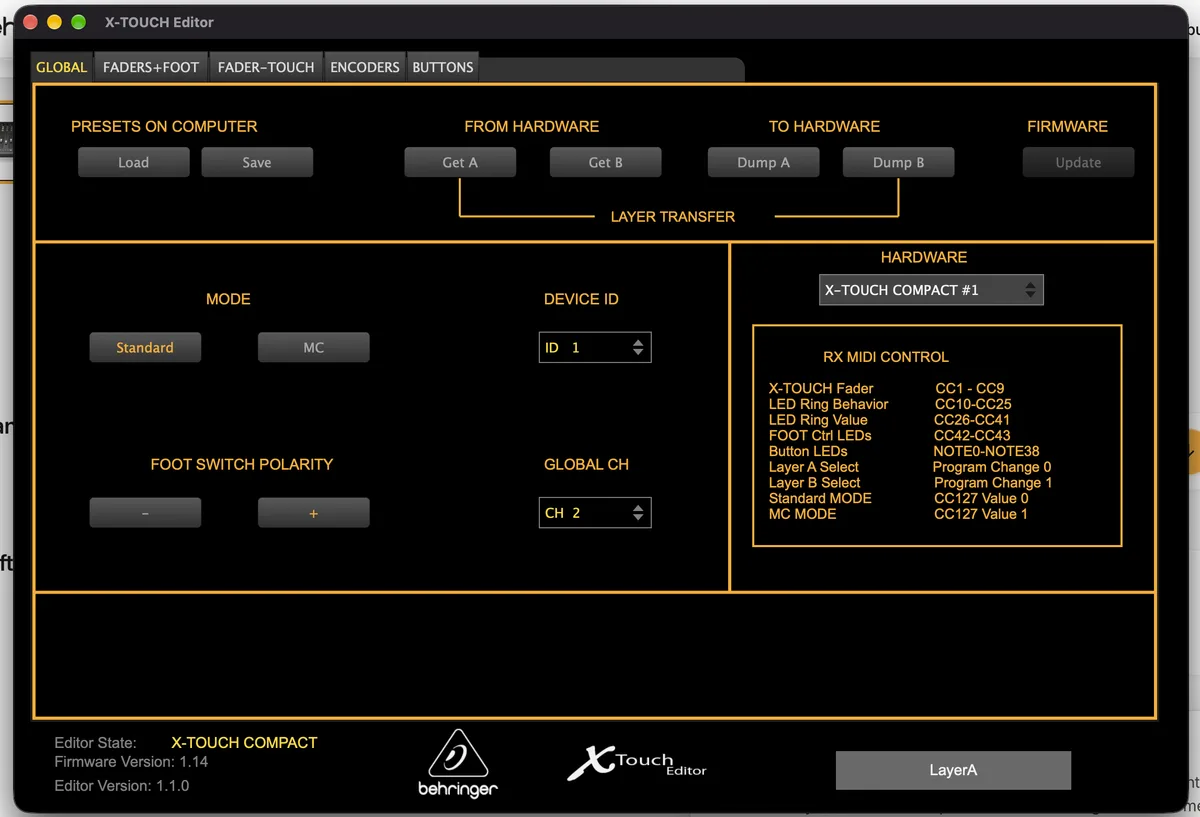
On the Faders+Foot tab, verify that the type is CC, the channel numbers don't conflict with the buttons (on the 2nd tab), and the min/max values are 0 and 127.
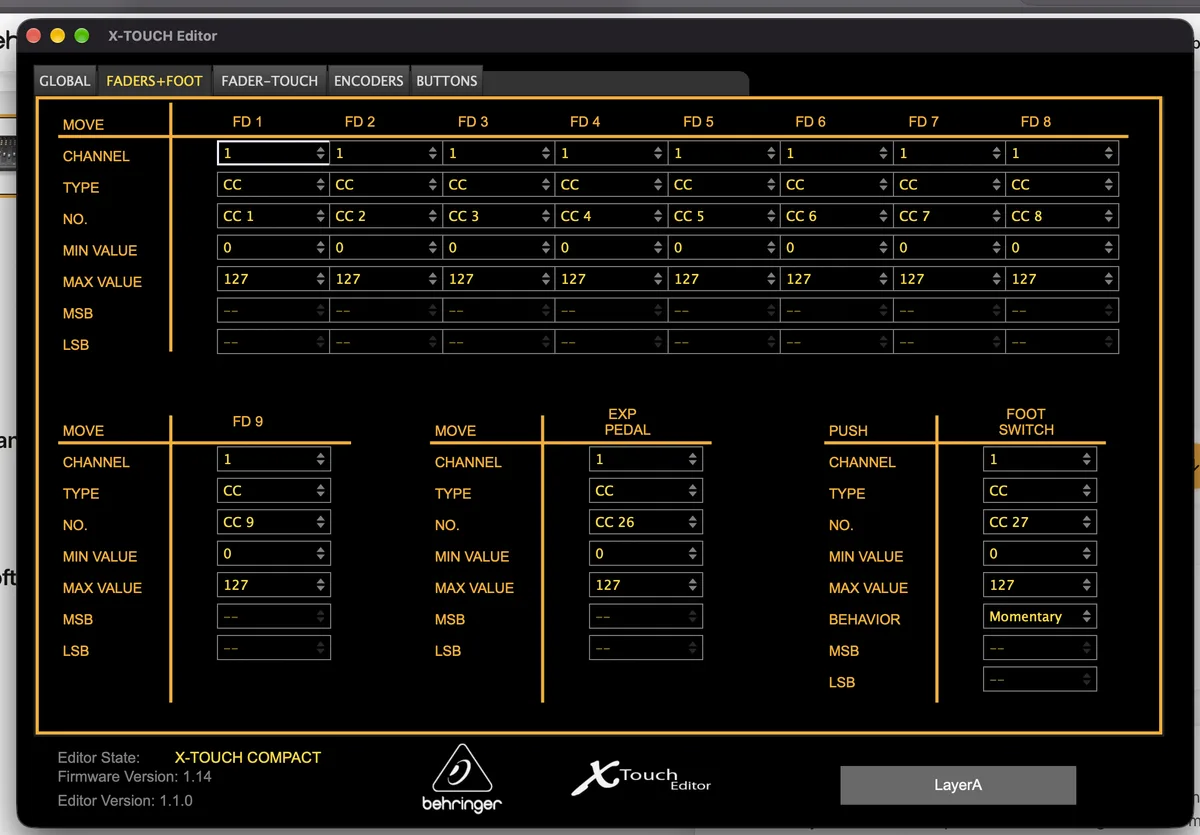
Then press "To Hardware - Dump A" to "write" the config onto the device.
In my case, it was enough to press the "Get A" and "Dump A" buttons without any changes - for whatever reason, simply re-writing the correct-looking config back to the device was enough to "refresh" it. A factory reset of the device was not needed. After a restart, my layer A started working as desired - no more binary values.
- Firmware version:
1.14(latest in 2026) - X-Touch Editor version:
1.1.0(macOS) - QLC+ version:
5.3.1(macOS)
End result
QLC+ plays well with a motorized physical fader bank.
I get the best of both: the ability to use QLC+'s pre-built functions and timings, with the option to take over a fader physically for manual control, and move it smoothly, without "jumps". The X-Touch Compact also lets me multitask: one hand on the fader, the mouse hand free for a music cue or a function toggle.
A show we run, "Kahe Vahel", has specific requirements for show start and end fade timings: it starts with a very slow fade-in with music playing, and ends with a slow fade-out while performers wrap up the last scene and storyline. Both need precise timings for fades, depending on scenic content.
Before, I had a pre-scripted 30s fade in QLC+ - I'd rather have the wrong timing than an abrupt fade. Now, I can run this fade manually, with a physical fader - using a physical control smooths out abrupt movement, and I have full control over the timing window and fade speed.